Accessing PowerPlay AI Summaries In Press Room App
Accessing PowerPlay AI Summaries in Press Room App
This guide is essential for anyone looking to efficiently access PowerPlay AI Summaries within the Press Room App. It provides a step-by-step approach to navigate through Press Room App to access AI summaries effectively, enhancing your understanding of game lineups and player performance. By following these instructions, users will gain insights into how to access Personal, Executive, Team and Neutral Zone (if applicable) Summaries.
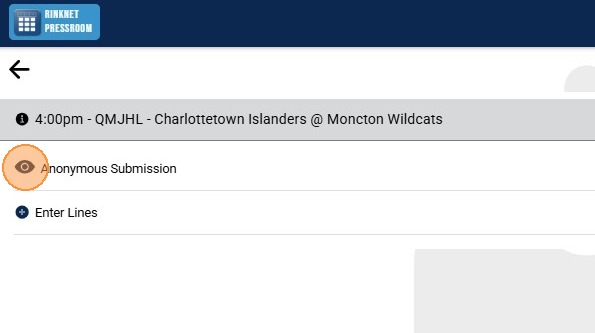
1. Click the "Eye" Icon to View Lineup(s) for Selected Game
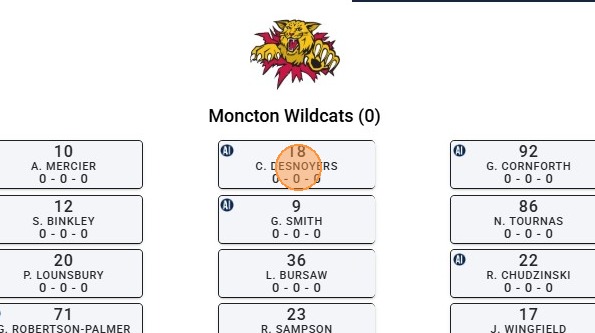
2. Click on the Player's Name Tile to Open Information Tabs (Note: For Anyone with a PowerPlay AI Summary Available, an "AI" Icon Will Appear Next to Player's Name)
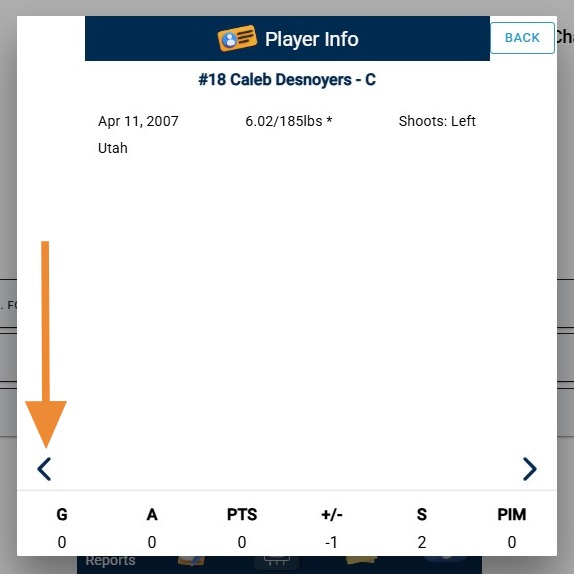
3. On First Tab, Click the "Left" Arrow in Bottom Left Corner to Access PowerPlay AI Tab
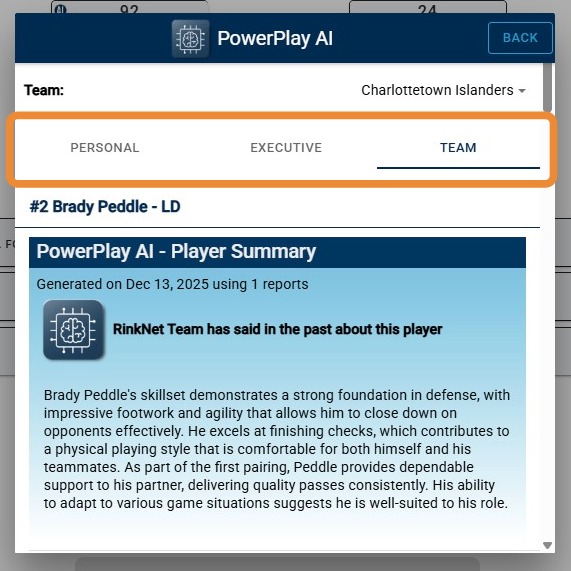
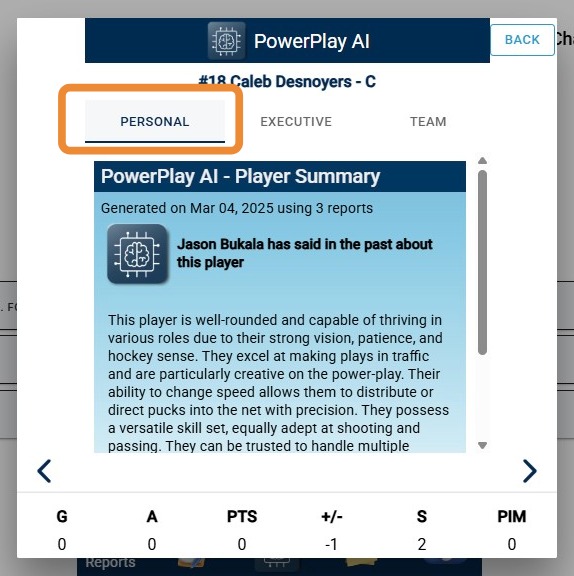
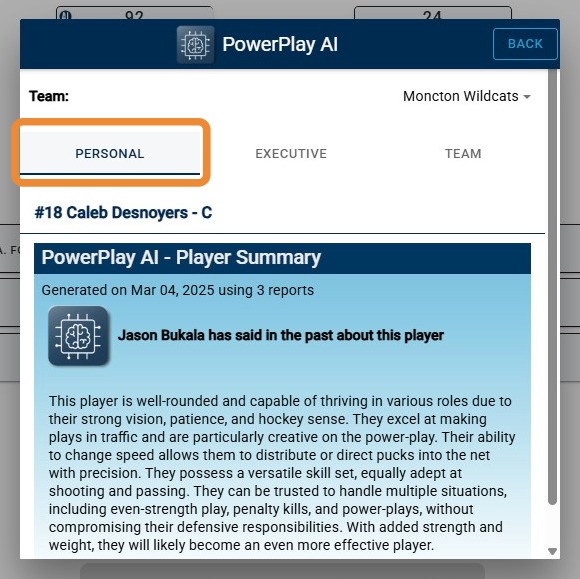
4. The "Personal" Tab Provides Your Personal PowerPlay AI Summary on the Player
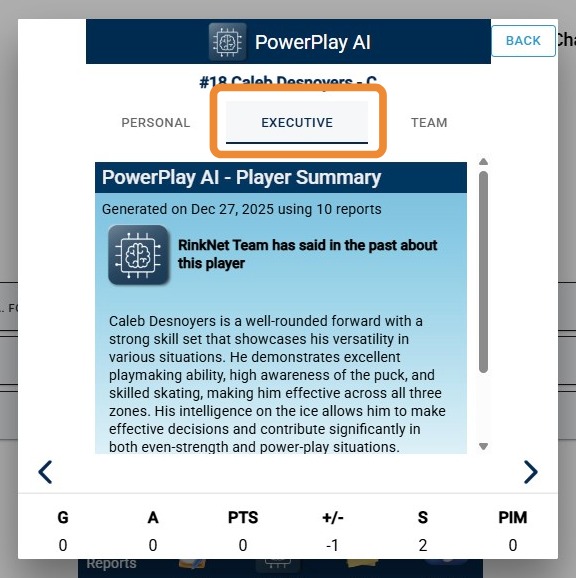
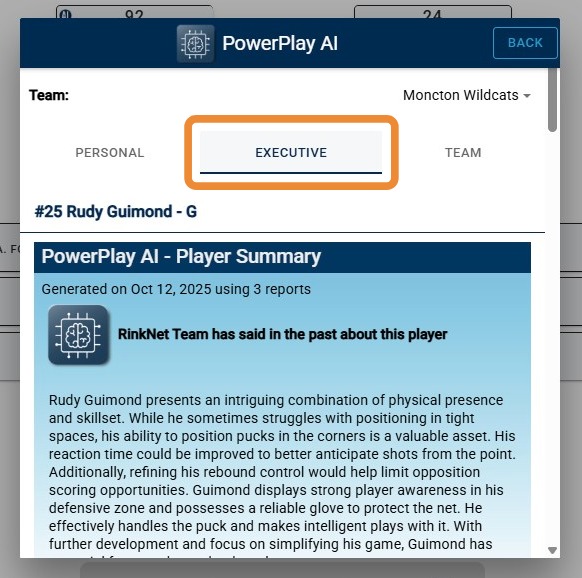
5. The "Executive" Tab Provides Your Organization's Executive PowerPlay AI Summary on the Player
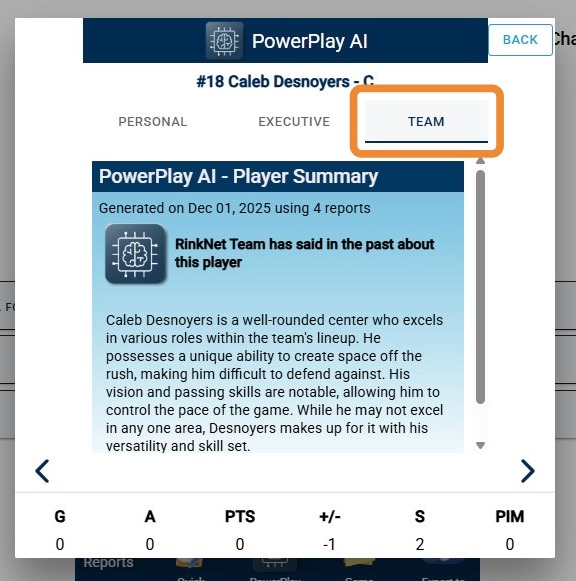
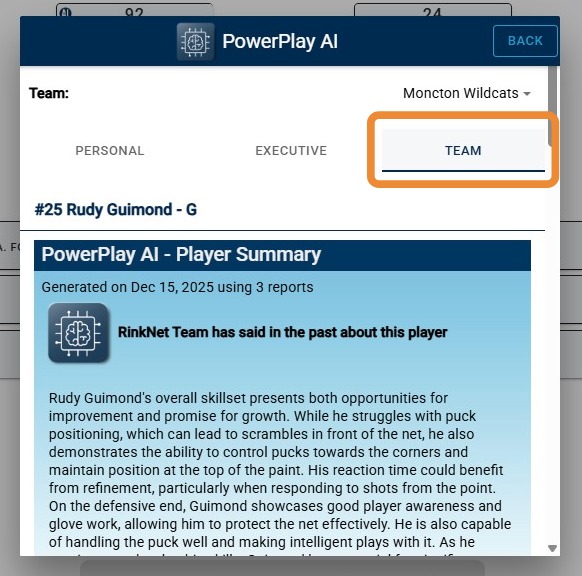
6. The "Team" Tab Provides Your Organization's Customized Team PowerPlay AI Summary on the Player
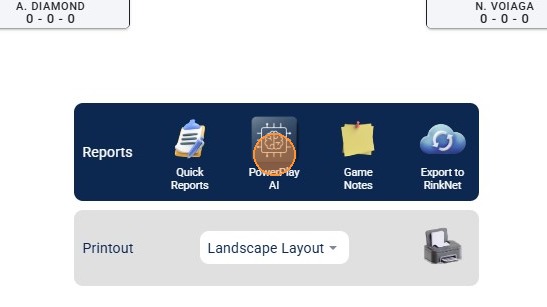
7. PowerPlay AI Summaries Can Also Be Accessed Using The PowerPlay AI Button When Viewing Lines. To Access, Click On The "PowerPlay AI" Button
8. The "Personal" Tab with Display Any Personal PowerPlay AI Summaries for Player(s) on Team
9. The "Executive" Tab with Display Any Executive PowerPlay AI Summaries for Player(s) on Team
10. The "Team" Tab with Display Any Team PowerPlay AI Summaries for Player(s) on Team
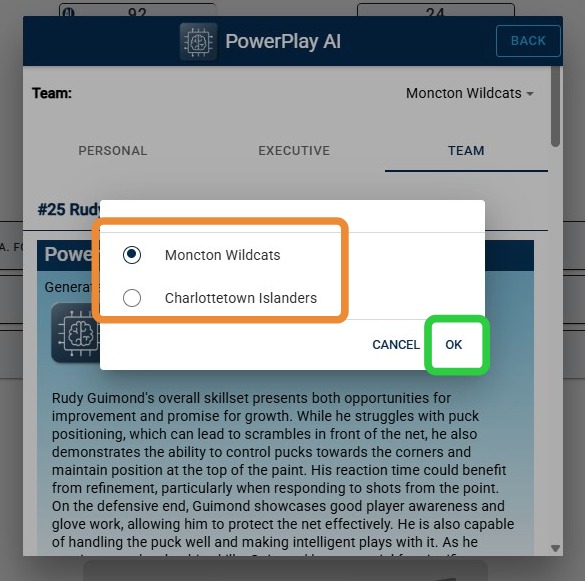
11. Use the "Team" Dropdown to Switch between Teams
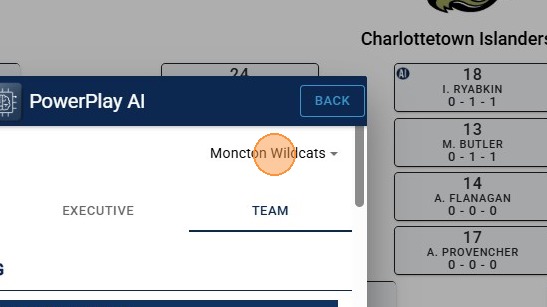
12. Choose The Second Team, Then "OK"
13. Any Available Personal, Executive and Team PowerPlay AI Summaries For Second Team Will Appear for Player(s) on Team Using Designated Tab