LEAGUE - Approve and Reject Protected List Change Requests
LEAGUE - Approve and Reject Protected List Change Requests
This guide provides a straightforward process for managing Protected List Change Requests, ensuring efficient approval and rejection of requests. By following the outlined steps, users can streamline their workflow, maintain accurate records, and Approve/Reject bulk changes as necessary.
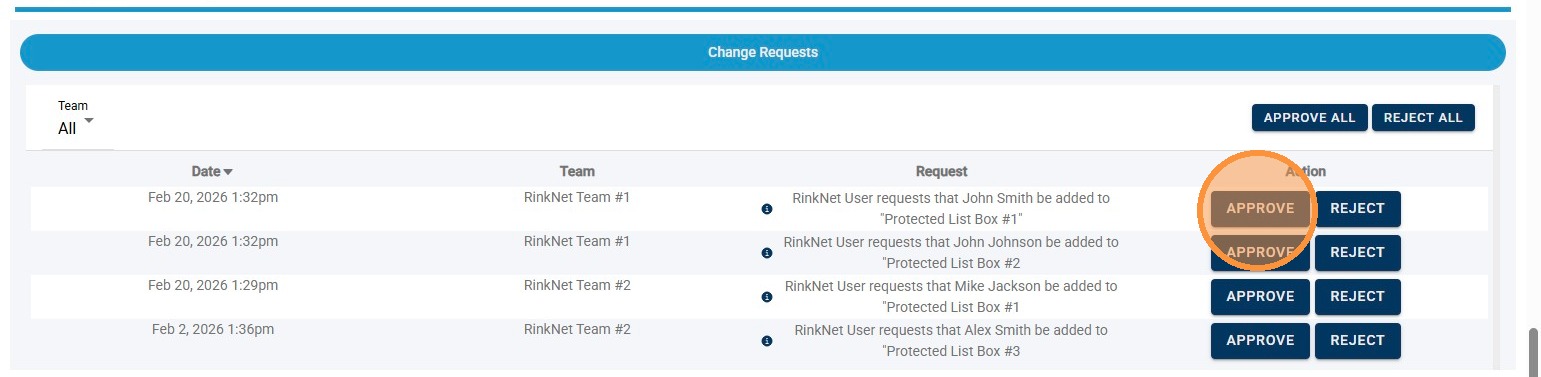
1. To Approve an Individual Request, Click "Approve" Next to Specific Request
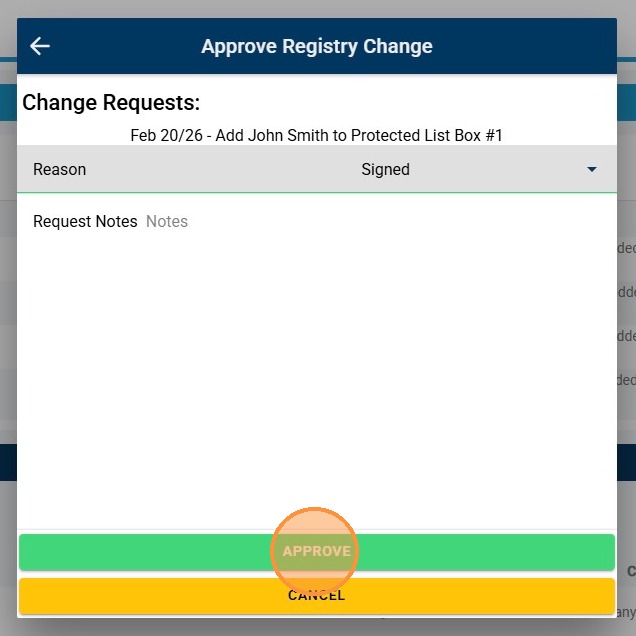
2. Click "Approve" to Approve Request and Add/Move Player to Requested Protected List Bucket
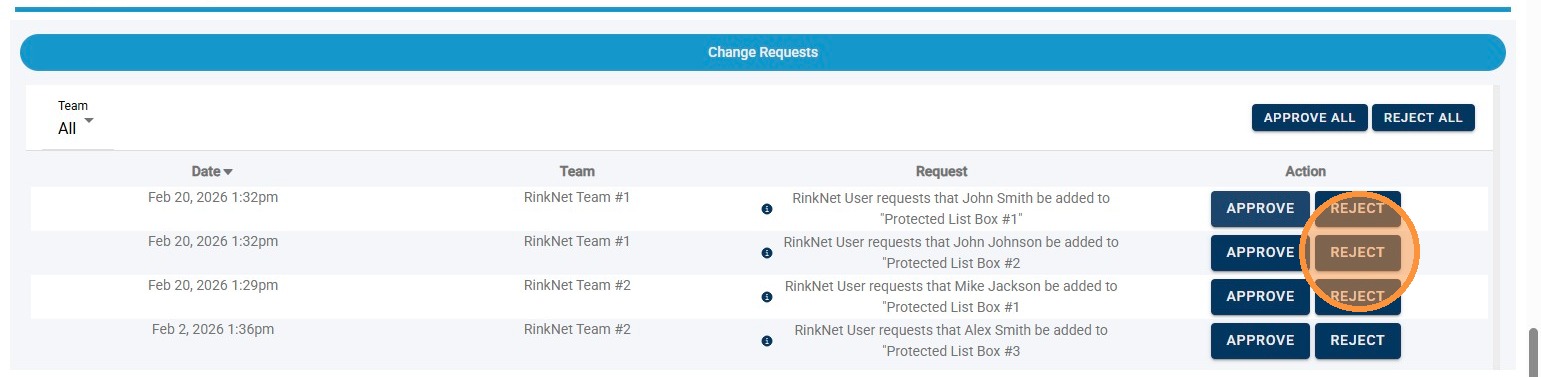
3. To Reject an Individual Request, Click "Reject" Next to Specific Request
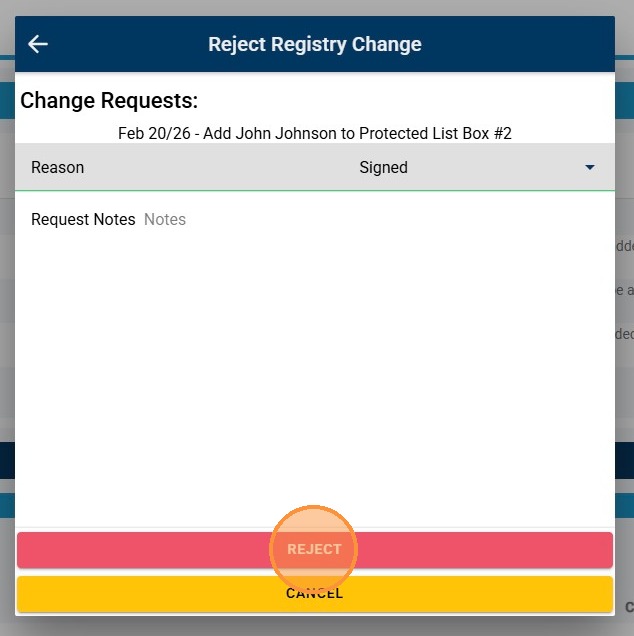
4. Click "Reject" to Reject Request and Leave Player in Current Location
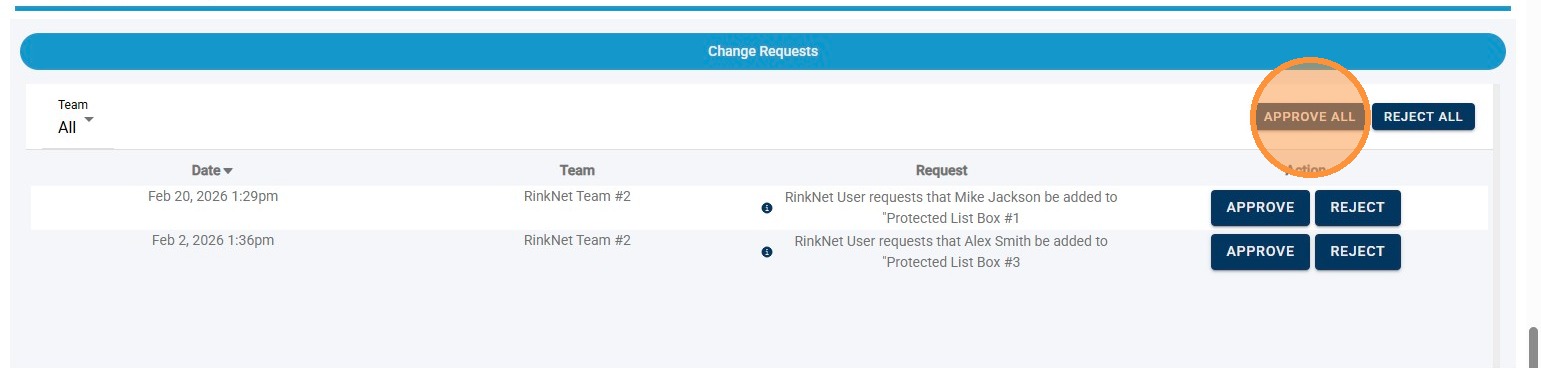
5. To Bulk Approve All Requests, Click "Approve All"
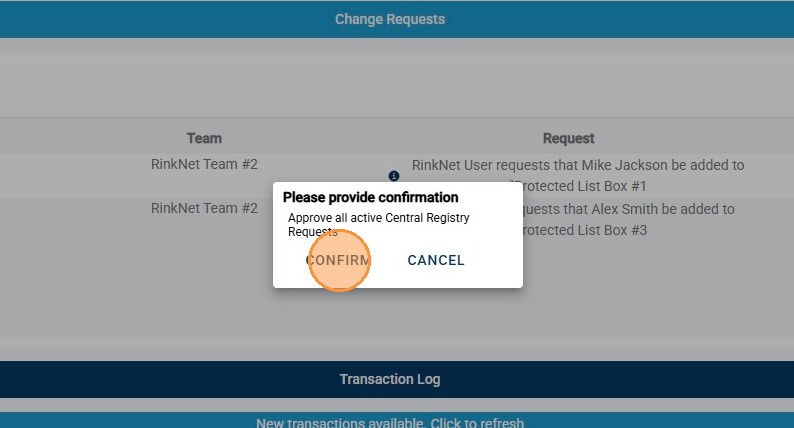
6. Click "Confirm" to Approve All Requests and Add/Move Players to Requested Protected List Buckets
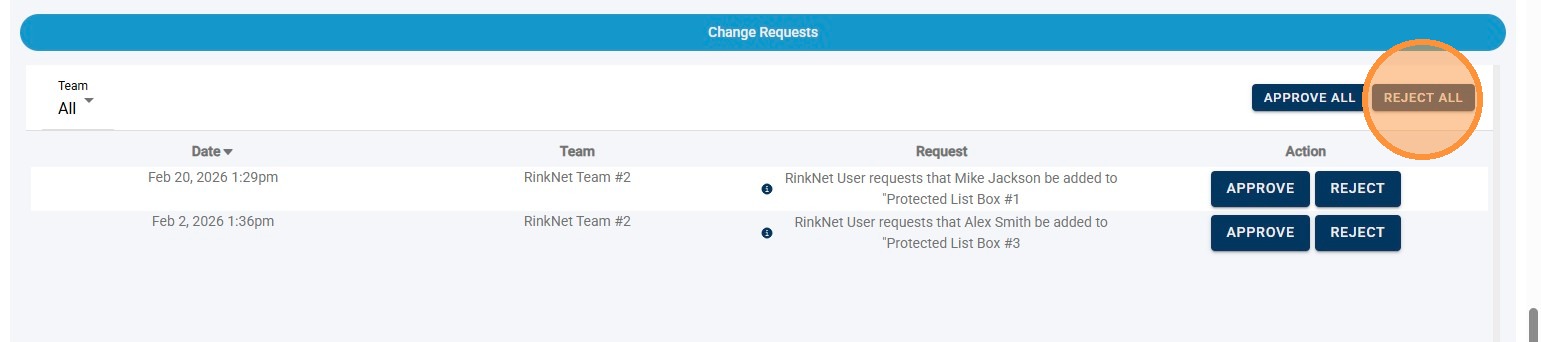
7. To Bulk Reject All Requests, Click "Reject All"
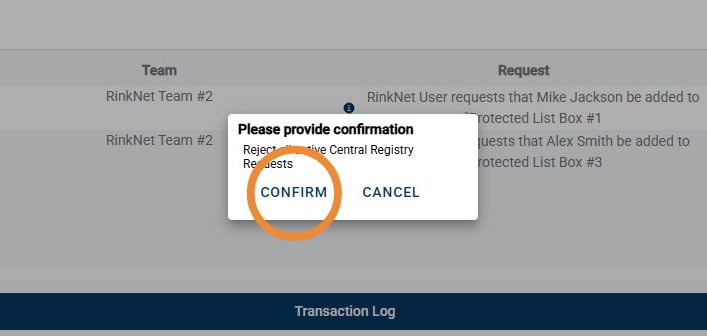
8. Click "Confirm" to Reject All Requests and Leave Players in Current Location