LEAGUE - Trade Players to Different Team's Protected List
This guide provides a straightforward process for trading players between teams' protected lists by League staff. It simplifies the trading mechanics, ensuring users can efficiently manage player transfers from one organization's protected list to another.
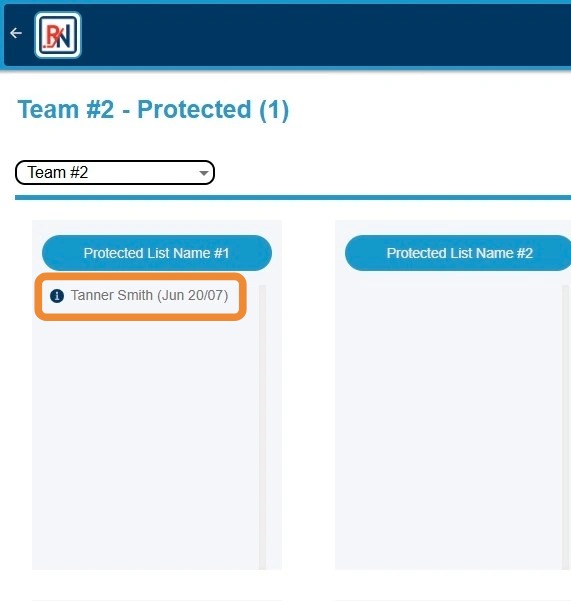
1. Click Player's Name to Highlight
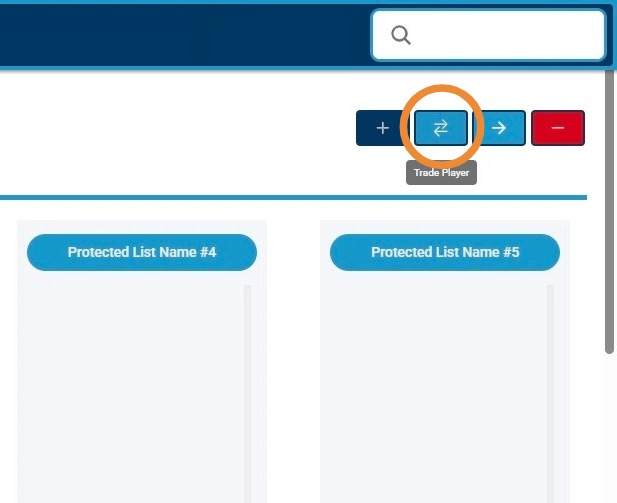
2. Click Circled Button to Trade Player to Other Team's Protected List
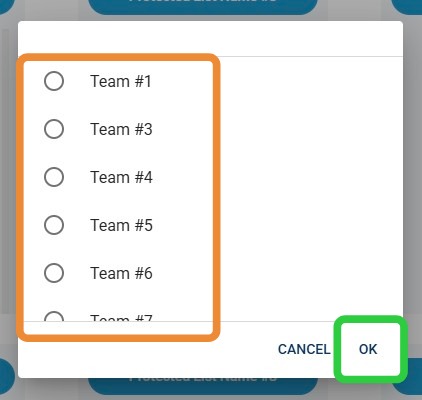
3. Click Team That Player Will Be Traded To, Then "OK"
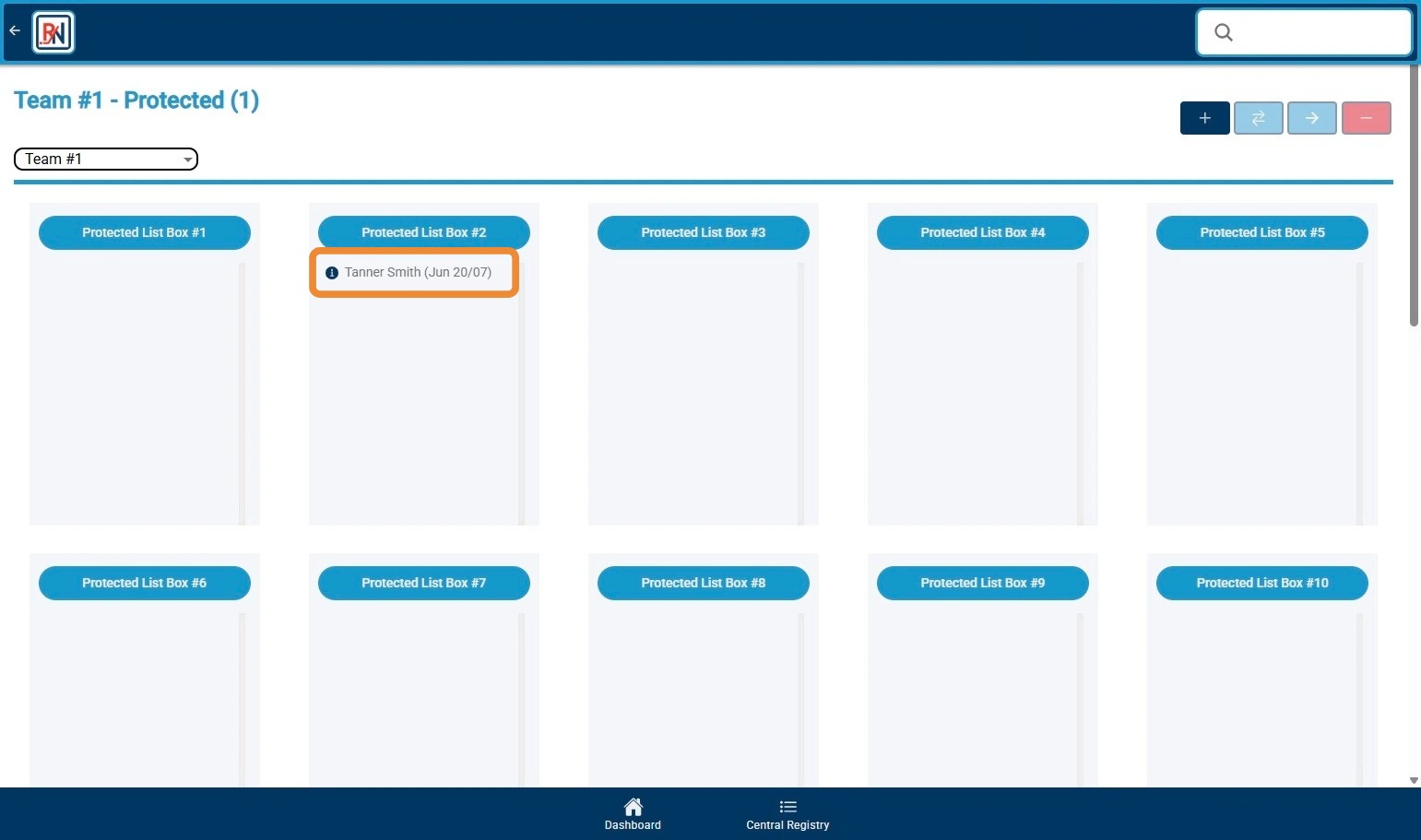
4. Switch to Traded Team To See Player Appearing on New Team's Protected List. Optionally Use Click and Drag or "->" Button to Move Player to Correct Bucket for New Team.
Related Articles
LEAGUE - Adding Player(s) to Protected Lists
LEAGUE - Adding Player(s) to Protected Lists This guide provides a straightforward process for League staff to add players to a protected list, ensuring you can efficiently manage your league's protected lists for each organization. It outlines each ...
LEAGUE - Moving Players on Protected Lists
LEAGUE - Moving Players on Protected Lists This guide provides a straightforward method for managing player movements within a protected list by League staff. It outlines simple steps to highlight, move, and confirm player transfers, ensuring ...
List Basics for Offline
Main List Screen How to Access the screen 1. Open the scouting program 2. From the menu on the left click on Lists 3. Click on the Main Lists Screen Option Screen Basics · When you first enter the screen, you will see lists ...
LEAGUE - Player Deletions in Protected Lists
LEAGUE - Player Deletions in Protected Lists This guide provides a straightforward process for managing player deletions from protected lists done by League staff. It outlines simple steps to highlight, delete, and adjust deletion types for players, ...
LEAGUE - Approve and Reject Protected List Change Requests
LEAGUE - Approve and Reject Protected List Change Requests This guide provides a straightforward process for managing Protected List Change Requests, ensuring efficient approval and rejection of requests. By following the outlined steps, users can ...